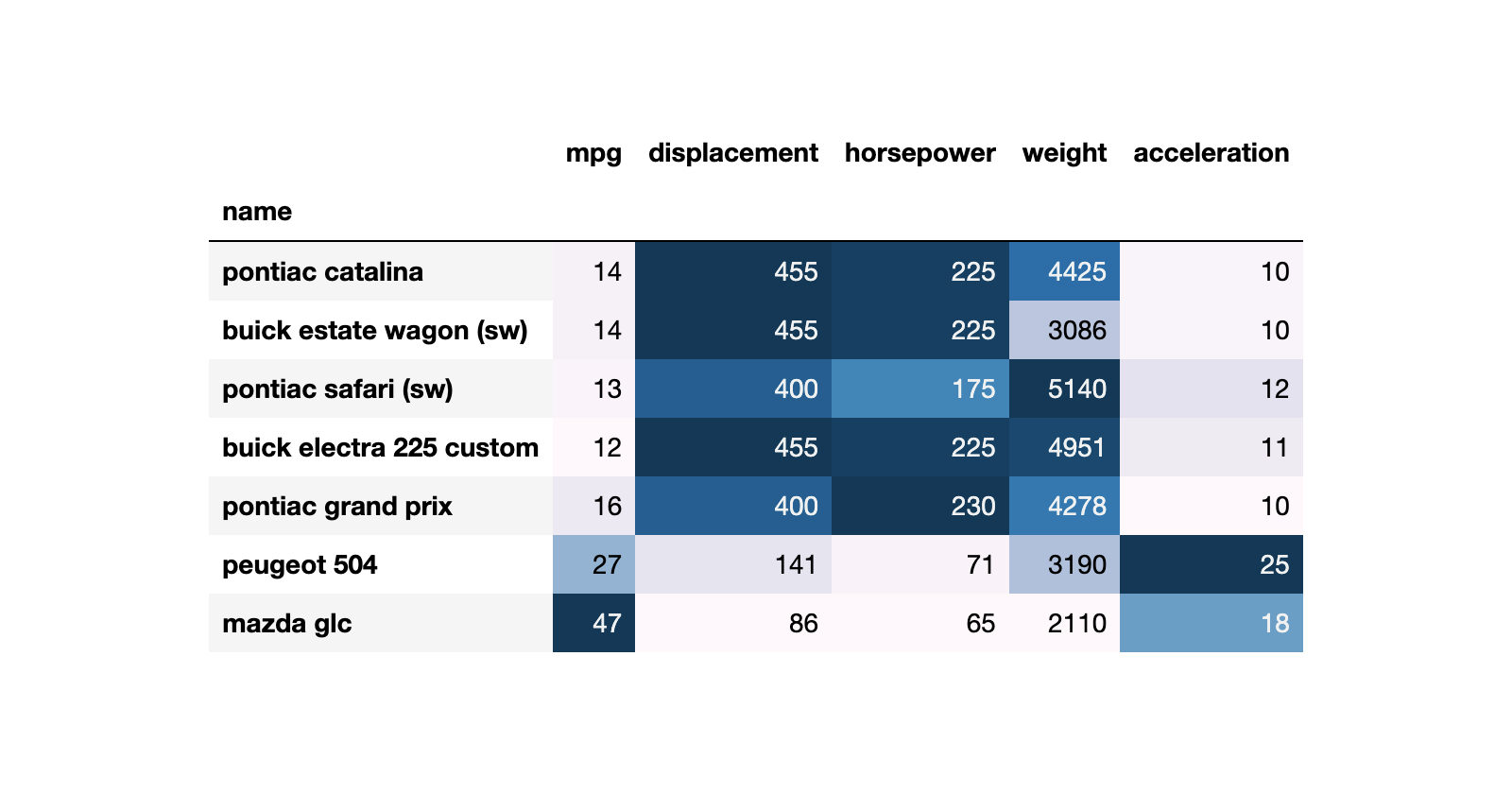
❌ Don't think of a for loop if you want to summarise your daily Time Series by years.
✅ Instead, use the function resample() from pandas.
Let me explain it with an example.
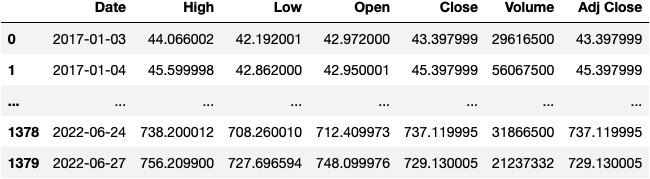
We start by loading a DataFrame from a CSV file that contains information on the TSLA stock from 2017-2022.
import pandas as pd

url = 'https://raw.githubusercontent.com/jsulopzs/data/main/tsla_stock.csv'

df_tsla = pd.read_csv(filepath_or_buffer=url)
df_tsla
cc: @elonmusk
You're welcome for the promotion 😉
You must ensure that column Date's dtype is DateTime.
❌ It must not be an object as in the picture (often interpreted as a string).
df_tsla.dtypes.to_frame(name='dtype')
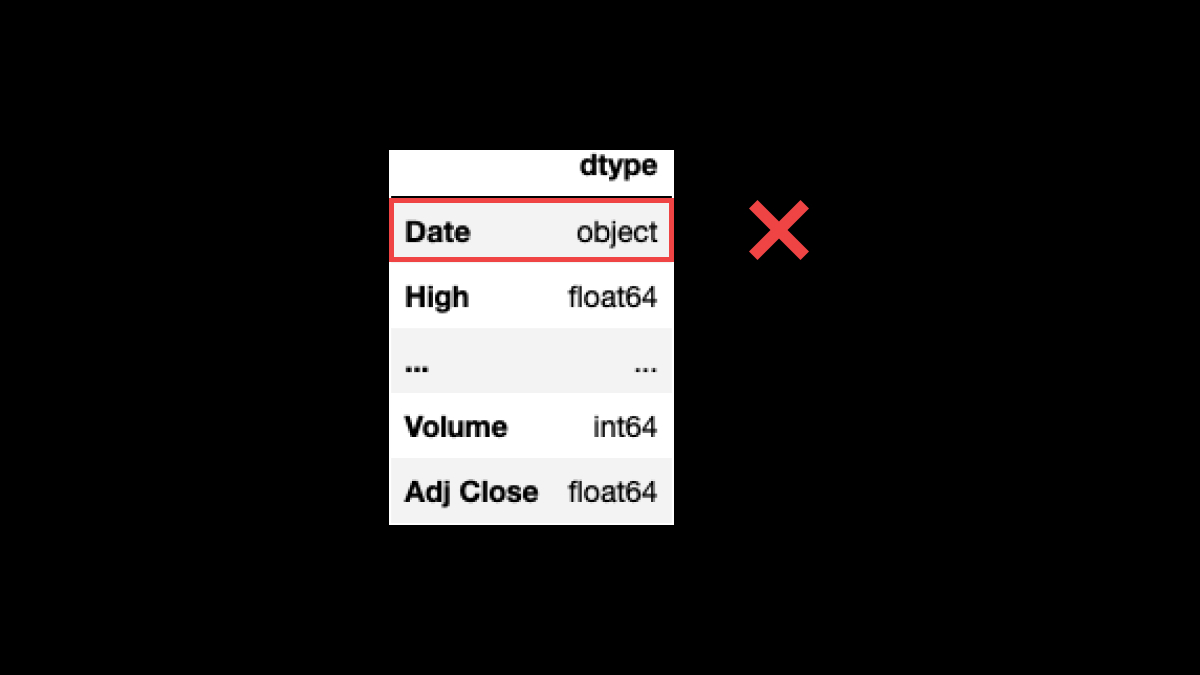
We need to convert the Date column into a datetime dtype. To do so, we can use the function pd.to_datetime():
df_tsla.Date = pd.to_datetime(df_tsla.Date)
df_tsla.dtypes.to_frame(name='dtype')
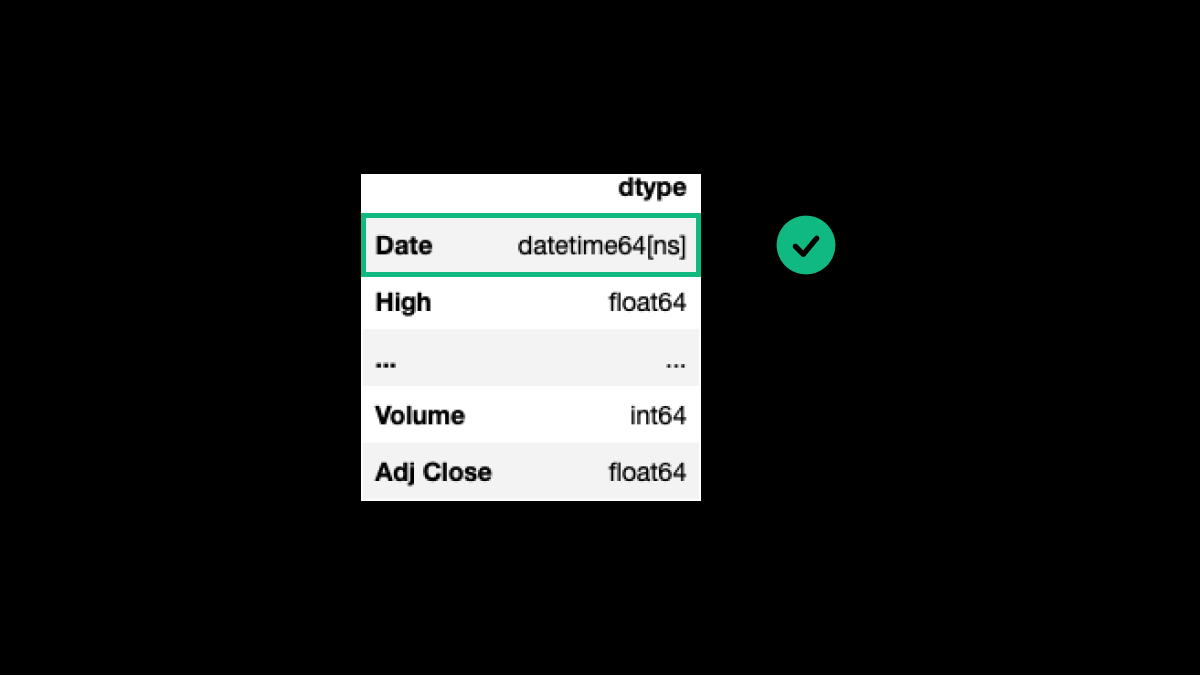
Before getting into the resample() function, we need to set the column Date as the index of the DataFrame:
df_tsla.set_index('Date', inplace=True)
df_tsla
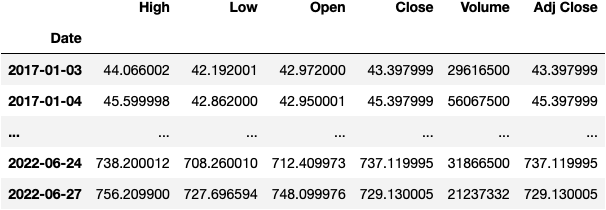
Now let the magic happen; we'll get the maximum value of each column by each year with this simple line of code:
df_tsla.resample(rule='Y').max()
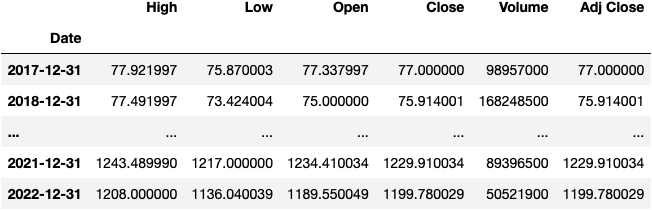
We can do many other things:
- Summarise by Quarter.
- Calculate the average and the standard deviation (volatility).
df_tsla.resample(rule='Q').agg(['mean', 'std'])
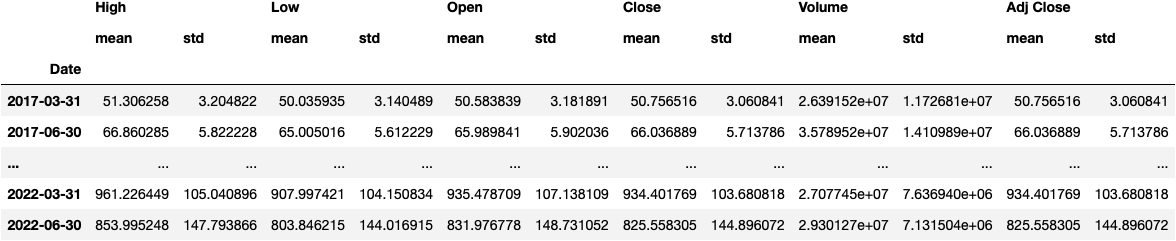
To finish it, I always like to add a background_gradient() to the DataFrame:
df_tsla.resample(rule='Y').max().style.background_gradient('Greens')
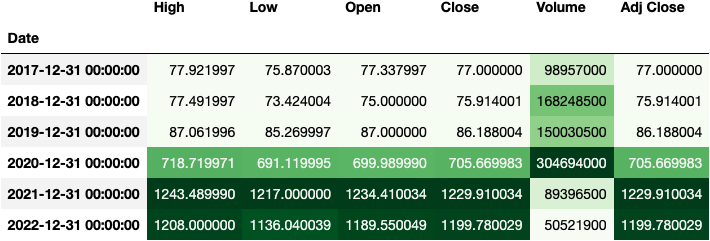
If you enjoyed this, I'd appreciate it if you could support my work by spreading the word 😊
About the author
I coach people to develop the Resolving Discipline that turns them into independent programmers.
Comments
Join the discussionNo comments yet. Be the first to comment.
Pandas
This series of tutorials shows you how to work with Pandas, a Python library used to work with data tables.